 LocArk
A Local-First Private Knowledge Workspace
LocArk brings notes, password records, kanban boards, mind maps, and Inbox capture into an encrypted workspace stored in a location you choose.
Published Updated LocArk Team 5 min read
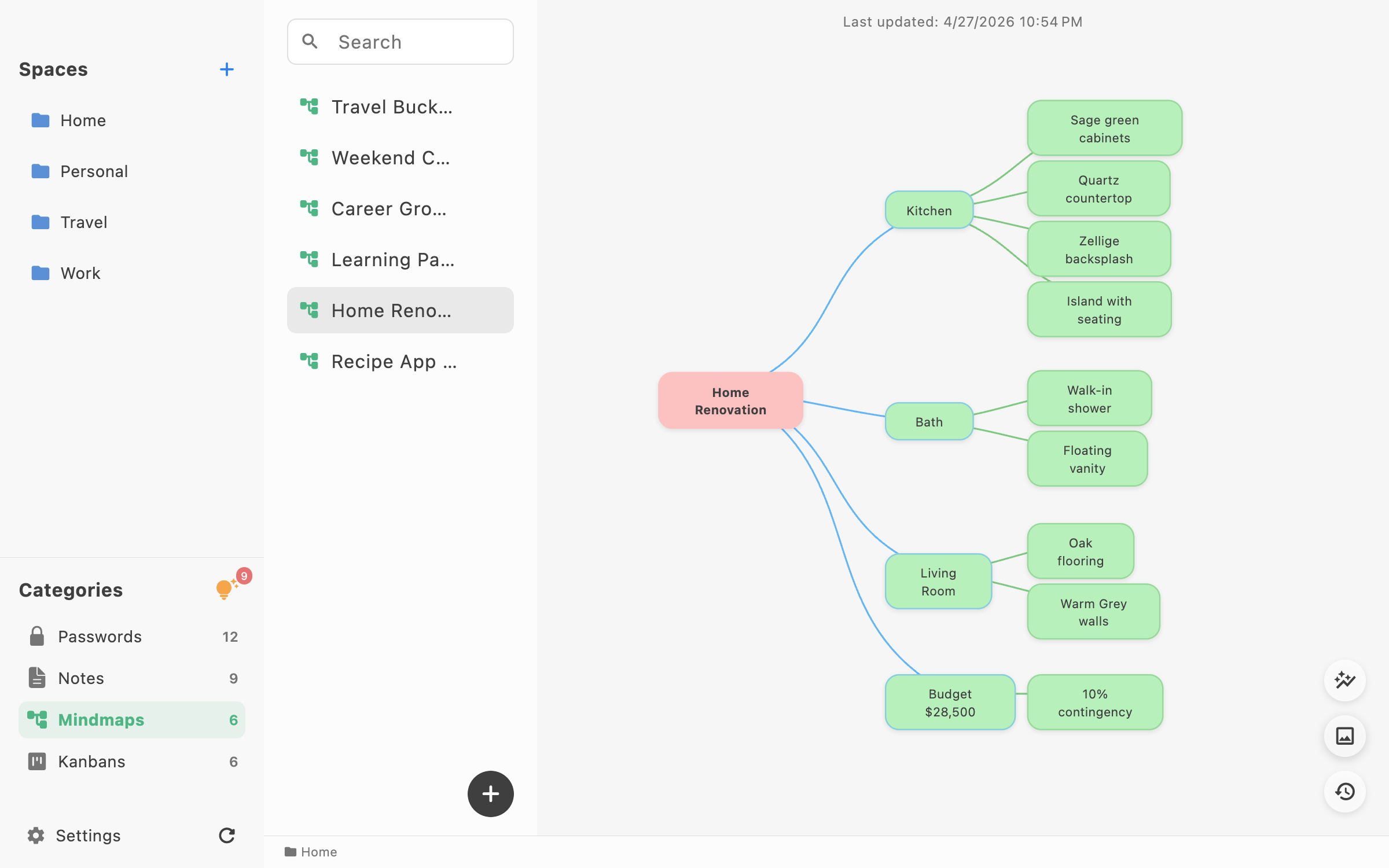
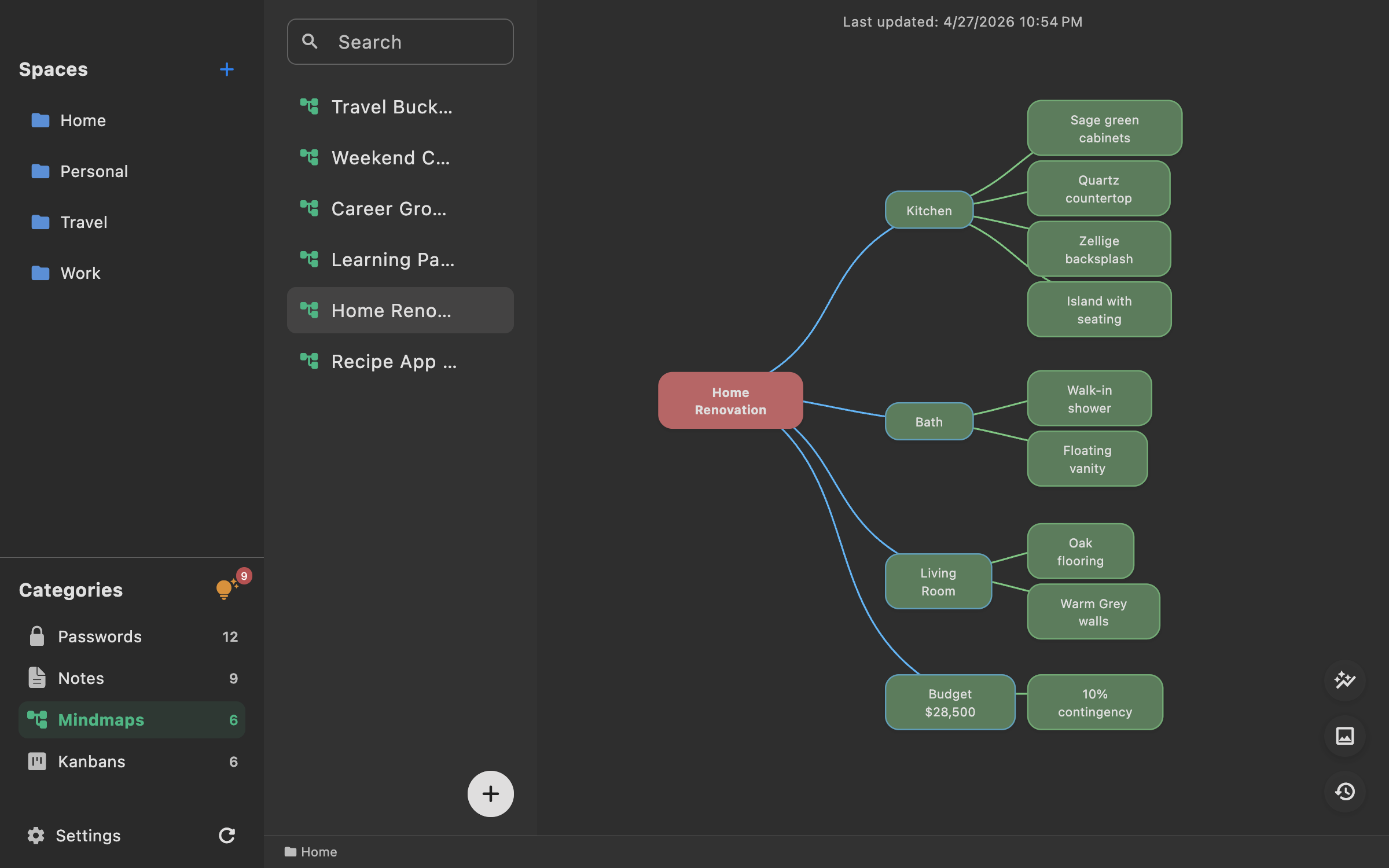
LocArk is a local-first private workspace that keeps notes, password records, kanban boards, mind maps, and quick Inbox capture together.
The product is designed for individual knowledge work where offline access, a user-chosen storage location, local encryption, and a user-managed recovery path matter more than hosted real-time collaboration.
What LocArk Includes
| Module | Use it for | Current capabilities |
|---|---|---|
| Notes | Research, writing, decisions, and reference material | Markdown, images, full-text search, and history |
| Passwords | Structured credentials and secret fields | Templates, generated values, auto-lock, and optional clipboard clearing |
| Kanban | Visible work states | Local boards for planning and execution |
| Mind maps | Exploring structure and relationships | Visual outlines inside the workspace |
| Inbox | Low-friction capture | Quick-capture cards arranged by position and color |
Spaces, categories, and nested folders help organize different item types in one library.
Where the Workspace Lives
You choose the workspace location. It can remain on a local drive. On Apple platforms, LocArk can use its iCloud container; on supported platforms, you can also select a custom writable folder.
If Dropbox, OneDrive, or another tool manages a custom folder—or if you track that folder with Git—the tool, not LocArk, provides the synchronization or versioning. Availability and behavior depend on the platform and provider.
LocArk does not provide a hosted cloud workspace for private content. Any optional folder synchronization is separate from the application and introduces the sync provider, account security, and conflict behavior into your own threat model.
Local-first does not mean that the application never uses a network. Official stores deliver the app and updates; purchase and entitlement flows may contact store or license services; a sync provider uses its own network. The private workspace itself is not hosted by LocArk.
The distinction follows the broader local-first software model: local work remains primary, while remote services can be optional supporting layers.
How New Workspaces Are Protected
New workspaces use local encryption with a master password. The current V2 design uses:
- AES-256-GCM authenticated encryption;
- Argon2id password-based key derivation;
- DEK/KEK envelope encryption;
- operating-system secure storage for supported key-caching workflows.
Encryption protects data at rest, but it is not a guarantee against malware or another person controlling an unlocked device. Device security, a strong master passphrase, safe clipboard behavior, backups, and the handling of readable exports still matter.
For the complete boundary, read Data Privacy & Local Security.
Import, Export, and Portability
LocArk supports:
- Markdown files, folders, or multiple files imported as notes;
- supported 1Password CSV and Bitwarden CSV exports imported as password entries;
- compatible generic CSV mapped into password entries;
- standard readable ZIP export;
- password-protected readable ZIP export;
- Markdown notes and readable text representations of supported non-note item types.
A readable export is a portability copy, not a full-fidelity LocArk backup. It cannot be restored directly into LocArk: non-note item types are represented as readable text, and the application does not import these ZIP files.
A standard ZIP can contain plaintext passwords and other sensitive material. Treat every readable export as sensitive, keep it only where necessary on a trusted device, and remove it when it is no longer needed. A password-protected readable ZIP is still separate from the encrypted workspace format and is not a replacement for a complete workspace backup.
For recovery, close LocArk and use a filesystem or storage tool to copy the complete locark_data folder, including its configuration. Verify the copy from a separate test location without overwriting the active workspace, and make sure cloud-managed files are fully available locally before copying them.
For Markdown, test a small subset before a large migration. For password imports, use synthetic entries or a dedicated test vault for the pilot rather than retaining a real credentials CSV just for testing. Markdown dialects, nested structures, attachments, and vendor-specific database features do not always map one-to-one.
Available Platforms
LocArk is available through official store channels for:
- macOS through the Mac App Store;
- Windows through Microsoft Store;
- iPhone and iPad through the App Store;
- Android through Google Play.
App packages are distributed through stores rather than from the website.
Distribution and purchase are separate:
- Windows users install through Microsoft Store and purchase Pro on the LocArk website through Stripe, with email-based activation.
- Apple and Google builds use their respective store purchase systems.
For current links and regional availability, use the download page. For current plan details, use the pricing page rather than an old article.
What LocArk Is Not
LocArk is not currently positioned as:
- a complete Notion or Evernote replacement;
- a hosted real-time team collaboration suite;
- a browser-first publishing platform;
- a workspace with built-in AI for processing private content;
- conflict-free simultaneous editing across devices;
- a product that makes a workflow legally compliant by itself.
Those limits are intentional parts of the product boundary, not details to hide behind a generic privacy claim.
Who It Fits
LocArk is a strong fit for people who:
- primarily work alone;
- want private material in a storage location they choose;
- need notes, credentials, plans, and visual thinking together;
- expect core work to remain available offline;
- are willing to manage backup and optional sync deliberately.
It is a weaker fit when the main requirement is live co-editing, centralized team permissions, enterprise administration, or browser access from any device.
Start With a Sample Workspace
- Download LocArk from the official store for your platform.
- Create a temporary encrypted workspace.
- Add a note, a synthetic password entry, and an Inbox card using the free workspace.
- If you are evaluating Pro, also create a board and a mind map after activating Pro.
- Disconnect the network and verify the core workflow.
- Create and inspect a readable export of the non-sensitive sample data, then remove the export after the test.
- Close LocArk, copy the complete
locark_datafolder for the test workspace, and verify that the copy can be opened from a separate location. - Move important material only after both tests pass.
A small pilot provides more useful evidence than an absolute claim about privacy or productivity.