 LocArk
Offline personal kanban
A personal kanban board
for work that stays yours
Plan tasks with custom columns, priorities, due dates, and completion states in the same local-first workspace as your notes. Creating kanban boards is a LocArk Pro feature.
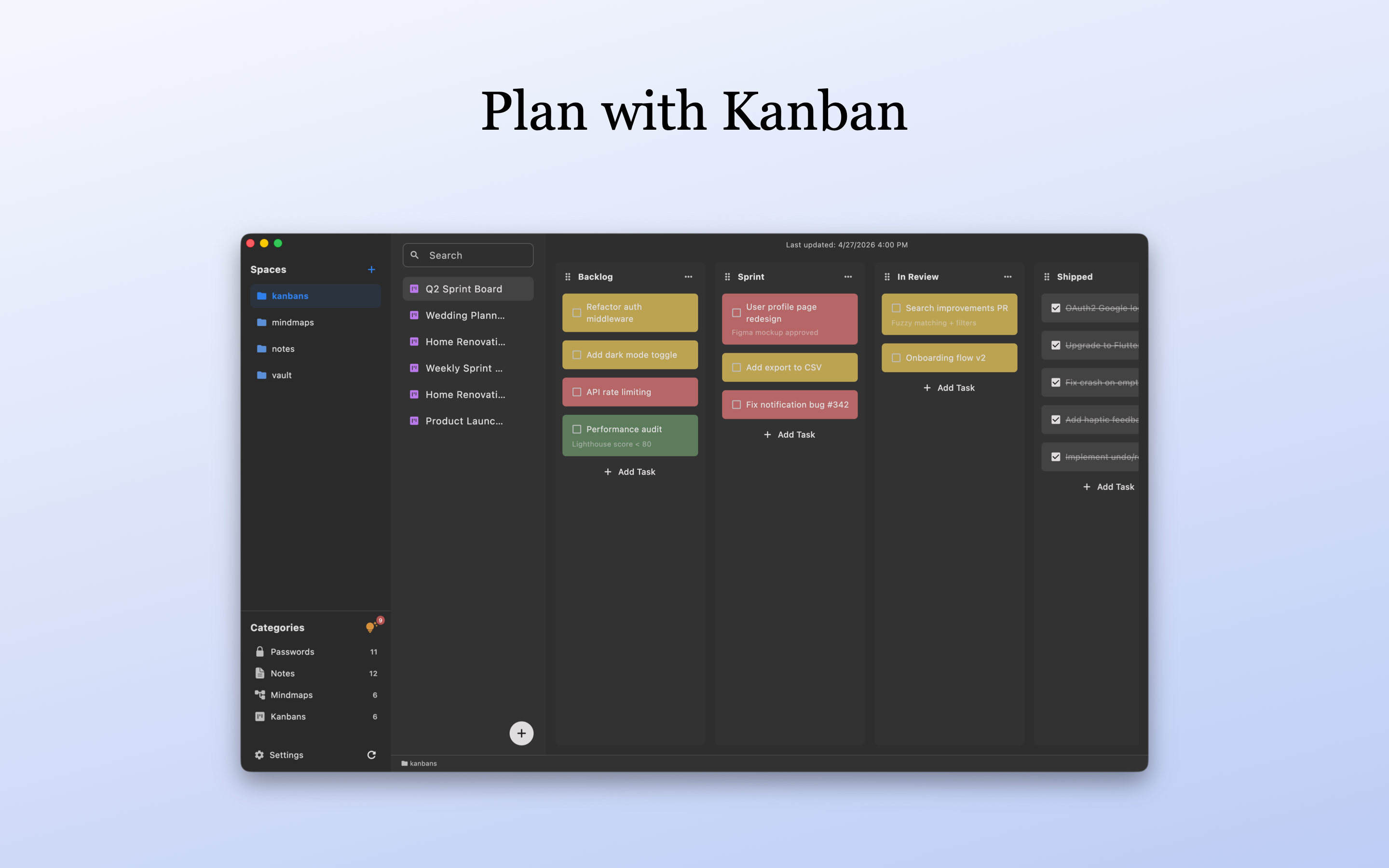
The core workflow for a personal board
LocArk keeps solo task planning focused without turning the board into a hosted team project service.
Create the stages that make sense for your project, from a simple To Do / Doing / Done flow to a more detailed personal process.
Move cards between columns as priorities and status change, then mark completed work without losing the board context.
Add priority, due-date, and completion information when a card needs more than a short task title.
Board data stays in the workspace location you choose. New workspaces use local encryption by default, and the core board workflow remains available offline.
From backlog to done
Start with one small project
A useful personal board needs clear stages and actionable cards, not a large project-management configuration.
1. Create a Pro kanban board
Choose a project that has several visible stages. Creating kanban boards requires an active LocArk Pro entitlement.
2. Define a few clear columns
Start with only the states you will use, such as Backlog, In Progress, Review, and Done.
3. Add actionable cards
Give each card a concrete outcome. Add priority and an optional due date only when they help you decide what to do next.
4. Move and complete work
Drag each card as its state changes and review completed work before clearing or reorganizing the board.
Use it for the right job
Built for solo planning, not team coordination
The board is one document type inside your private workspace. It is deliberately different from a cloud project-management suite.
Use a board for study plans, writing, home projects, solo product work, or other tasks you do not need to publish to a team service.
Keep planning boards alongside notes, password records, mind maps, Inbox items, spaces, and folders instead of creating a separate cloud project workspace.
LocArk does not provide shared assignments, managed permissions, comments, or simultaneous multi-user board editing.
Choose a dedicated project-management platform when you need workflow rules, third-party integrations, reporting, or enterprise administration.
Offline personal kanban FAQ
The practical limits to check before moving an active project into LocArk.
Does the kanban board work offline?
The board content and core editing workflow are local and do not depend on a LocArk-hosted content service. Store installation, entitlement setup, and any third-party file sync have their own network requirements.
Where is the board stored?
It is stored inside the LocArk workspace location you choose. LocArk does not provide hosted board storage or receive your private board content.
Is board data encrypted?
New LocArk workspaces use local encryption and master-password protection by default. Older plaintext workspaces remain supported until you choose to migrate them to a V2 encrypted location.
Is kanban included in the free plan?
Creating kanban boards requires an active Pro entitlement. Check the current pricing page and the terms of your original purchase channel before buying.
Can I use a synchronized folder?
Where the platform supports it, you can place the workspace in a folder managed by a provider you trust. LocArk does not operate that sync service, and you should wait for syncing to finish before opening the workspace on another device.
Plan one real project on a private board
Install LocArk, review the current Pro plan, and start with a small board whose stages you already understand.