 LocArk
Private offline mind mapping
An offline mind map
for your next idea
Turn a project idea into branches, keep the map beside your notes, and export a PNG when you want to share it. Creating mind maps requires LocArk Pro.
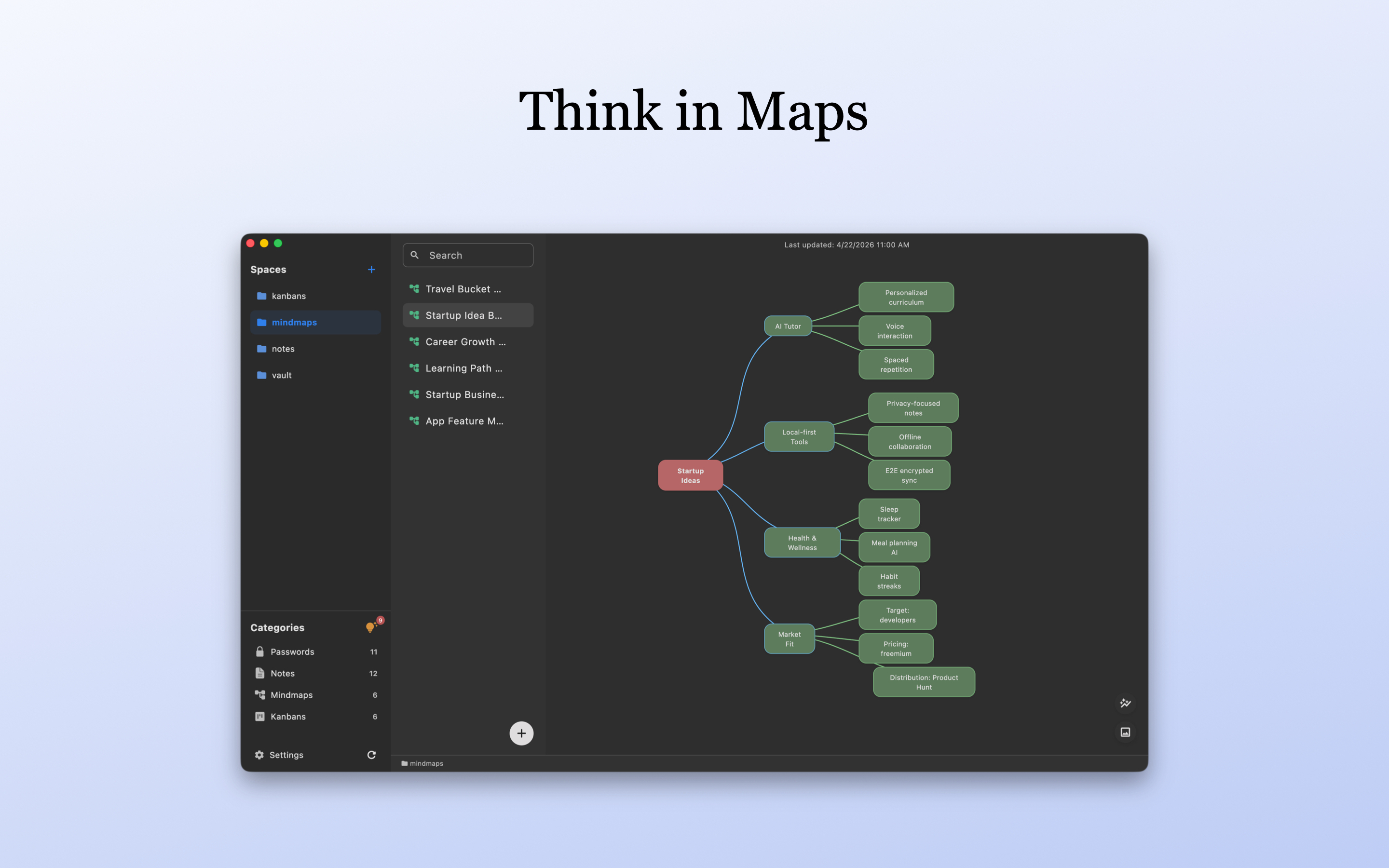
From a central topic to a clearer plan
A lightweight map for personal projects, reading outlines, and early-stage brainstorming.
Start with a central topic, add child or sibling nodes, and edit their labels as your thinking develops. You decide the structure.
Core mind map editing works offline. Maps stay in the workspace location you choose; new workspaces use local encryption and master-password protection.
Organize maps and notes in the same spaces and folders. Keep a visual outline in a map and longer explanations in a separate note.
Save a visual copy for a document or presentation. The PNG is a readable image, not an encrypted or editable map backup; check its contents before sharing.
One small project
Map a personal project before writing the details
Try a non-sensitive example first, such as planning a study project or a personal website.
1. Name the central topic
Create a mind map in your project space and give the central topic a concrete name.
2. Break it into a few branches
Add goals, questions, resources, and next steps. Keep node labels short and add smaller branches only where they help.
3. Use the outline
Write the longer brief in a separate note, or export a PNG to include in a document. Keep the original map in your workspace for later editing.
Before you start
Plan, platform, and storage details for a personal mind map workflow.
Is mind mapping included in the free plan?
Creating mind maps requires an active LocArk Pro entitlement. If that entitlement expires, existing maps remain viewable and editable, but creating new maps requires Pro again.
Which platforms can I use?
LocArk is available for macOS, Windows, iPhone, iPad, and Android through official stores. Installation and Pro activation require their respective network services; core map editing works locally.
Can I access a map on another device?
Where your platform supports the location, use a workspace folder managed by a sync provider you trust. LocArk does not provide hosted sync. Let files finish syncing before opening the workspace on another device, and keep a separate backup.
Does it generate maps with AI or support live collaboration?
No. Maps are created and edited manually for personal use. LocArk does not provide AI map generation or real-time multi-user editing; it is not a full professional diagramming suite.
Give one idea a clear shape
Review the Pro plan, install LocArk from your official store, and start with one small map.